This is a read-only mirror of pymolwiki.org
Difference between revisions of "Valence"
m (3 revisions) |
m (2 revisions) |
||
| (8 intermediate revisions by 2 users not shown) | |||
| Line 1: | Line 1: | ||
== Overview == | == Overview == | ||
| − | Turning on '''valence''' will | + | Turning on the '''valence''' setting will enable the display of double bonds.<br> |
| + | Toggling '''valence_mode''' alters the positioning of double bonds (for representation as [[Lines]])<br> | ||
| + | '''valence_size''' alters the distance of double bonds.<br> | ||
| + | Note that bonds can be edited to be delocalized using [[Unbond]] and [[Bond]].<br> | ||
| + | There is also a command called '''valence'''.<br> | ||
| − | == Examples == | + | == Examples for the settings: valence and valence_mode == |
| − | <gallery> | + | <gallery heights="200px" widths="200px" align="left" perrow="4"> |
| − | Image: | + | Image:PHE_valence_0.png|set valence, 0<br>#(no double bonds) |
| − | Image: | + | Image:PHE_valence_1_mode_1.png|set valence, 1<br>set valence_mode, 1<br>#bonds inside |
| + | Image:PHE_valence_1_mode_0.png|set valence, 1<br>set valence_mode, 0<br>#bonds centered | ||
| + | Image:PHE_delocalized.png|set valence, 1<br>#delocalized bonds<br>#(edited: see [[Bond]]) | ||
</gallery> | </gallery> | ||
| − | == Syntax == | + | |
| + | '''valence_size''' alters the distance of double bonds, but behaves slightly different depending on valence_mode<br> | ||
| + | {| width="45%" | ||
| + | |+ style="font-weight:bold; text-align:center; font-size:100%;" | valence_size | ||
| + | ! valence_size with valence_mode 1<br> inside !! valence_size with valence_mode 0 <br> centered | ||
| + | |- | ||
| + | ||[[File:valence_size_mode1.gif]] || [[File:valence_size_mode0.gif]] | ||
| + | |} | ||
| + | === Syntax === | ||
<source lang="python"> | <source lang="python"> | ||
set valence, 0 # off | set valence, 0 # off | ||
set valence, 1 # on | set valence, 1 # on | ||
| + | |||
| + | set valence_mode, 0 # centered | ||
| + | set valence_mode, 1 # inside | ||
| + | |||
| + | set valence_size, 0.1 # default: 0.06 # range 0 - ~0.5 | ||
| + | </source> | ||
| + | |||
| + | |||
| + | == The valence command == | ||
| + | The '''valence''' command automatically formats existing bonds and can even guess the bonds for standard amino acids.<br> | ||
| + | <source lang="python"> | ||
| + | #USAGE: | ||
| + | valence order, selection1 [, selection2 [, source [, target_state [, source_state [, reset [, quiet ]]]]]] | ||
| + | order can be either: 1, 2, 3, 4, aromatic, copy, guess | ||
| + | |||
| + | #make PyMOL guess/autoformat bonds in proteins | ||
| + | valence guess, all | ||
| + | </source> | ||
| + | |||
| + | |||
| + | == Editing bonds == | ||
| + | <source lang="python"> | ||
| + | # In editing mode: select the bond using Ctrl-right-click, then enter: | ||
| + | unbond pk1,pk2 | ||
| + | bond pk1,pk2,4 | ||
| + | # 1: single bond, 2: double bond, 3:triple bond, 4:delocalized | ||
</source> | </source> | ||
| + | |||
| + | |||
| + | ==Automatic editing of bonds== | ||
| + | Try using the '''valence''' command first.<br> | ||
| + | Secondly, [[Format_bonds]] is a script that automatically formats valence in all amino acids and has additional options. | ||
| + | |||
| + | |||
| + | ==SEE ALSO== | ||
| + | [[Bond]], [[Unbond]] | ||
[[Category:Settings|Valence]] | [[Category:Settings|Valence]] | ||
Latest revision as of 21:08, 9 July 2015
Overview
Turning on the valence setting will enable the display of double bonds.
Toggling valence_mode alters the positioning of double bonds (for representation as Lines)
valence_size alters the distance of double bonds.
Note that bonds can be edited to be delocalized using Unbond and Bond.
There is also a command called valence.
Examples for the settings: valence and valence_mode
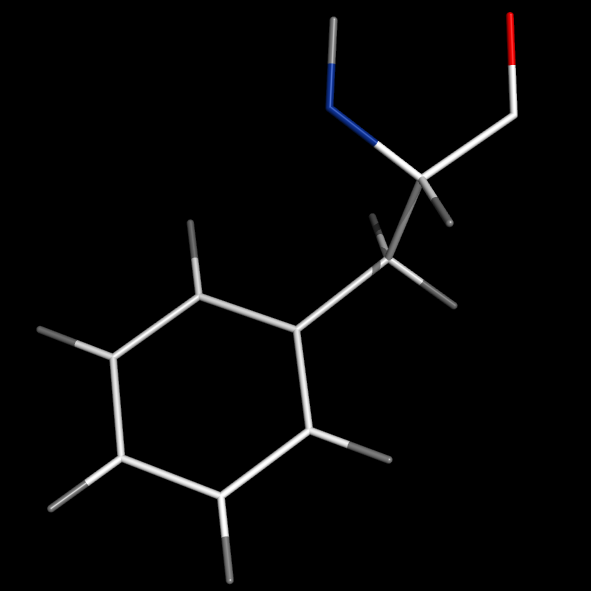
set valence, 0
#(no double bonds)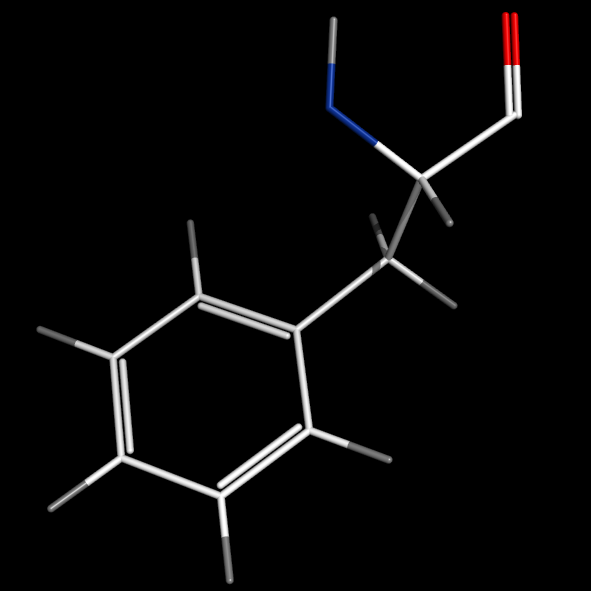
set valence, 1
set valence_mode, 1
#bonds inside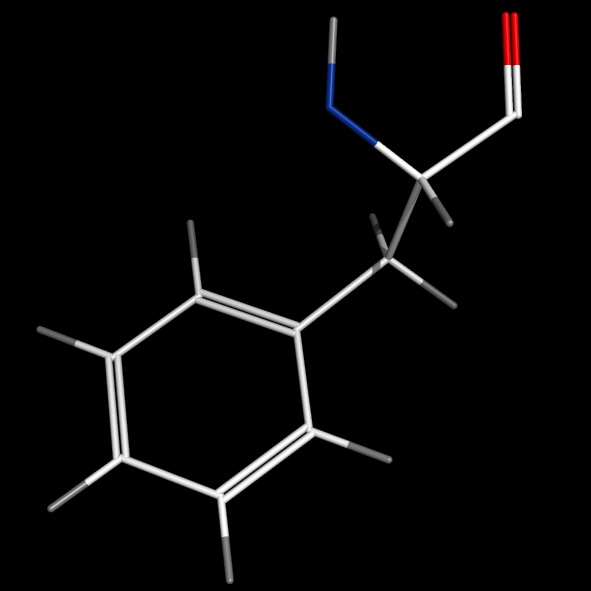
set valence, 1
set valence_mode, 0
#bonds centered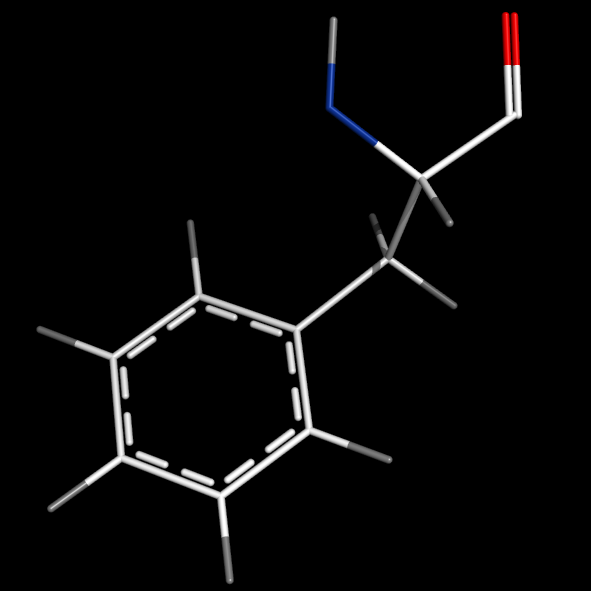
set valence, 1
#delocalized bonds
#(edited: see Bond)


valence_size alters the distance of double bonds, but behaves slightly different depending on valence_mode
| valence_size with valence_mode 1 inside |
valence_size with valence_mode 0 centered |
|---|---|
 |

|
Syntax
set valence, 0 # off
set valence, 1 # on

set valence_mode, 0 # centered
set valence_mode, 1 # inside

set valence_size, 0.1 # default: 0.06 # range 0 - ~0.5
The valence command
The valence command automatically formats existing bonds and can even guess the bonds for standard amino acids.
#USAGE:
valence order, selection1 [, selection2 [, source [, target_state [, source_state [, reset [, quiet ]]]]]]
order can be either: 1, 2, 3, 4, aromatic, copy, guess

#make PyMOL guess/autoformat bonds in proteins
valence guess, all
Editing bonds
# In editing mode: select the bond using Ctrl-right-click, then enter:
unbond pk1,pk2
bond pk1,pk2,4
# 1: single bond, 2: double bond, 3:triple bond, 4:delocalized
Automatic editing of bonds
Try using the valence command first.
Secondly, Format_bonds is a script that automatically formats valence in all amino acids and has additional options.