This is a read-only mirror of pymolwiki.org
Difference between revisions of "Stick transparency"
m |
m (1 revision) |
||
| (7 intermediate revisions by 3 users not shown) | |||
| Line 3: | Line 3: | ||
The setting "stick_transparency" allows one to set the degree of transparency for stick objects, independent of all other objects. Allowable values range from 0 (fully opaque) to 1 (fully transparent, i.e. invisible). | The setting "stick_transparency" allows one to set the degree of transparency for stick objects, independent of all other objects. Allowable values range from 0 (fully opaque) to 1 (fully transparent, i.e. invisible). | ||
| − | == | + | ==Usage== |
| + | <source lang="python"> | ||
| + | set stick_transparency, F, objectname | ||
| + | set_bond stick_transparency, F, selection | ||
| + | </source> | ||
| + | where '''F''' is a floating point number in the range ''[0.0 - 1.0]'', and '''objectname''' is the object to apply the changes to. If ObjectName is omitted, then the transparency of all stick representations will be changed. | ||
| + | |||
| + | To apply this setting to a selection, use "set_bond" syntax | ||
| + | <source lang="python"> | ||
| + | set_bond stick_transparency, 0.7, */n+c+ca+o | ||
| + | </source> | ||
| + | |||
| + | For the value of ''F''=1.0 sticks will be completely transparent/invisible and for ''F''=0.0 sticks are solid/opaque. | ||
| + | |||
| + | == Examples == | ||
| + | |||
<source lang="python"> | <source lang="python"> | ||
set stick_transparency, 0.50 # Makes sticks 50-percent transparent | set stick_transparency, 0.50 # Makes sticks 50-percent transparent | ||
</source> | </source> | ||
| − | |||
Open the images to actually see the details! | Open the images to actually see the details! | ||
<gallery> | <gallery> | ||
| Line 23: | Line 37: | ||
Image:Stick_trans_50-multi.png|sticks with 0.5 transparency and multilayer transparency | Image:Stick_trans_50-multi.png|sticks with 0.5 transparency and multilayer transparency | ||
</gallery> | </gallery> | ||
| + | |||
| + | [[Category:Settings|Stick transparency]] | ||
| + | [[Category:Sticks]] | ||
Latest revision as of 02:21, 20 August 2018
Overview
The setting "stick_transparency" allows one to set the degree of transparency for stick objects, independent of all other objects. Allowable values range from 0 (fully opaque) to 1 (fully transparent, i.e. invisible).
Usage
set stick_transparency, F, objectname
set_bond stick_transparency, F, selection
where F is a floating point number in the range [0.0 - 1.0], and objectname is the object to apply the changes to. If ObjectName is omitted, then the transparency of all stick representations will be changed.
To apply this setting to a selection, use "set_bond" syntax
set_bond stick_transparency, 0.7, */n+c+ca+o
For the value of F=1.0 sticks will be completely transparent/invisible and for F=0.0 sticks are solid/opaque.
Examples
set stick_transparency, 0.50 # Makes sticks 50-percent transparent
Open the images to actually see the details!
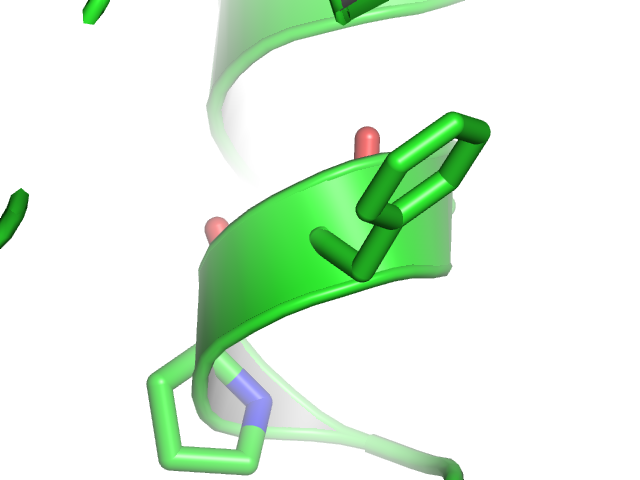
sticks with no transparency
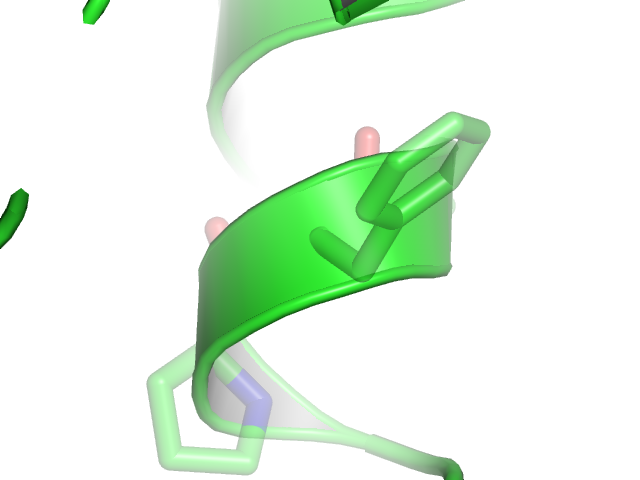
sticks with 0.5 transparency
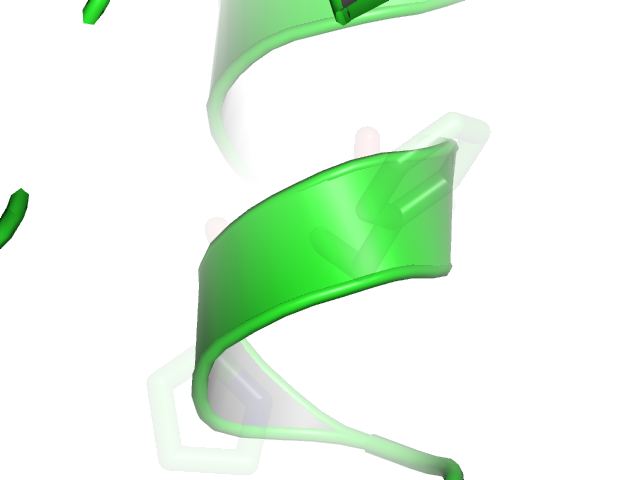
sticks with 0.9 transparency


Note
Stick transparency works best with "unilayer" transparency (Setting menu > transparency > Unilayer) rather than "multilayer", which leads to odd artifacts where the sticks join.
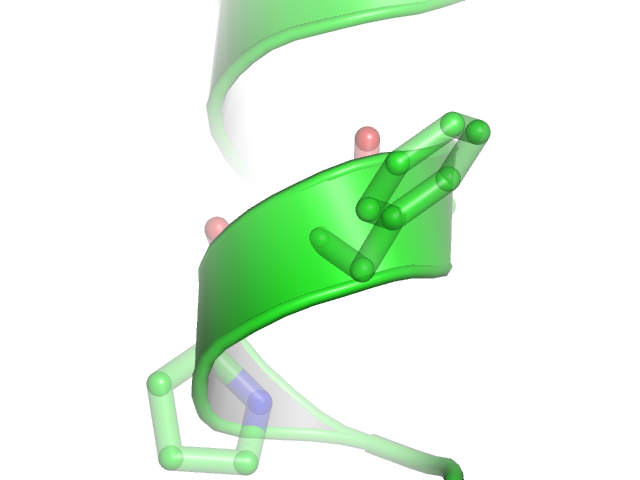
sticks with 0.5 transparency and multilayer transparency
